> ## Documentation Index
> Fetch the complete documentation index at: https://docs.peopledatalabs.com/llms.txt
> Use this file to discover all available pages before exploring further.
# React Component for Autocomplete
## What is the React Component for Autocomplete?
The React Component for Autocomplete lets you use the Autocomplete API to find valid Search API query values for a specific field (along with the number of available records for each suggestion.)
## How Does the Component Work?
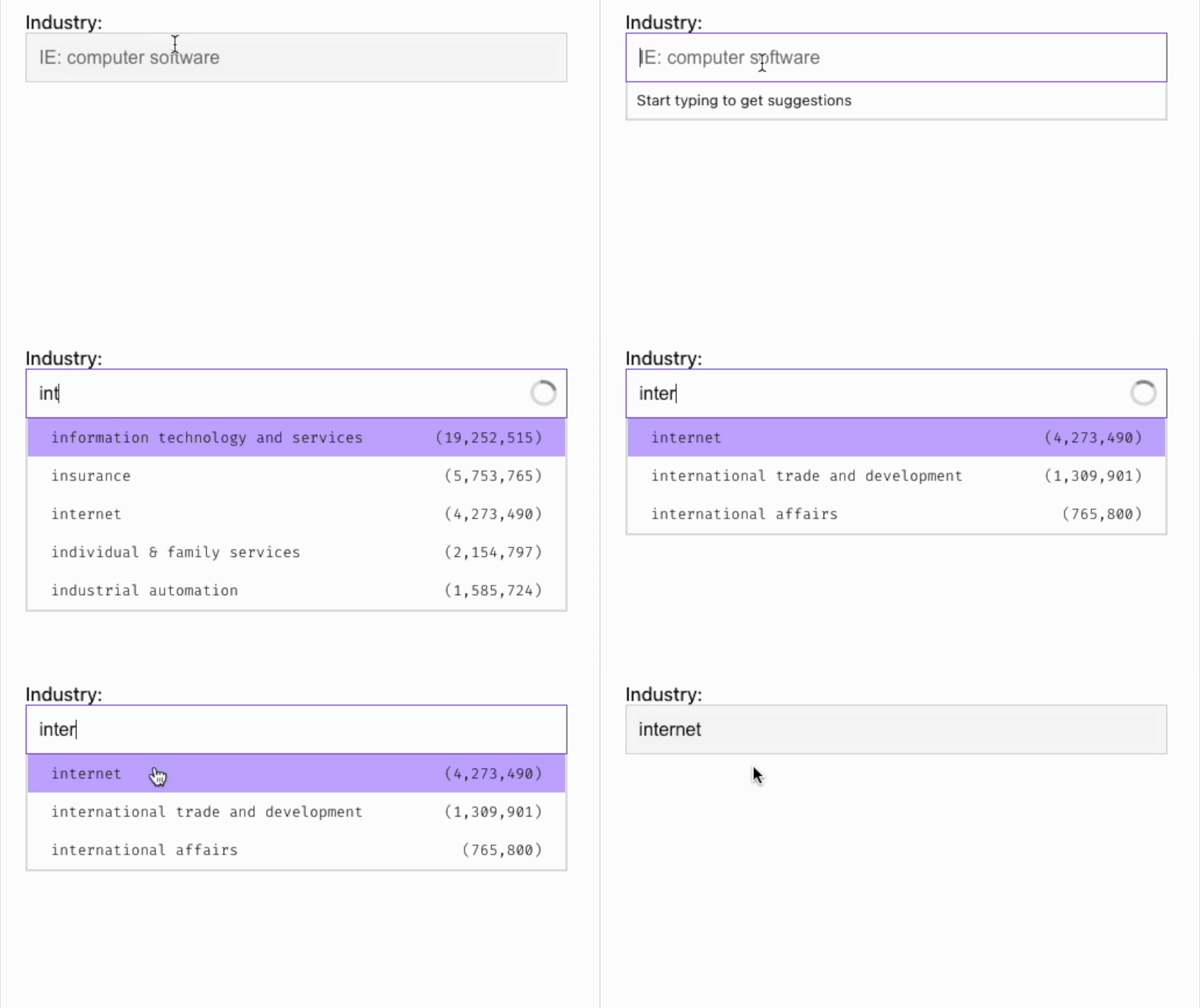
The component works by letting users get autocomplete suggestions in a dropdown list. Using this list, they then can make a suggestion that gets passed to a callback function. For example, when a user queries the `company` field for `goog,` the component will display a dropdown list that includes suggestions that most closely matches this search, such as `google`. Then, when the user makes a selection, this gets sent as an argument to a callback function that has been passed to the component as a prop.
## How To Install the Component
This component is available as an [npm](https://www.npmjs.com/package/pdl-react-autocomplete) package, and you can install it like this:
```shell NPM
npm i -S pdl-react-autocomplete
```
```shell Yarn
yarn add pdl-react-autocomplete
```
## Using the Component
Make sure that you sign up for a [free PDL API key](https://www.peopledatalabs.com/signup) if you don't already have one.
```javascript
import Autocomplete from 'pdl-react-autocomplete';
return (
console.log('onSelectedTerm', term)}
apiKey={'insertKeyHere'}
/>
);
```
> 🚧 Security Disclaimer
>
> You should use this library as an internal tool or as a proof of concept, as it fires off requests to the Autocomplete API from the client. This is due to the nature of React components and that API keys are all-encompassing at PDL. We highly suggest referencing the component's codebase for spinning up your own version but accessing the Autocomplete API through a proxy server and not using this in a public production environment.
## More Information, Pull Requests, Feature Suggestions and Bug Reports
We've open-sourced the library, which is available on GitHub. Go there to view more information. You can also submit pull requests, feature suggestions and bug reports.