

Prerequisites
- A PDL account. If you don’t have one, sign up for free.
Key limits
Each plan also allows you to have a certain number of active, unique API keys associated with your account:
These limits apply to your whole account and are shared by all users on your team. Archived keys don’t count toward the limit. Enterprise customers who need more keys can contact their customer success manager.
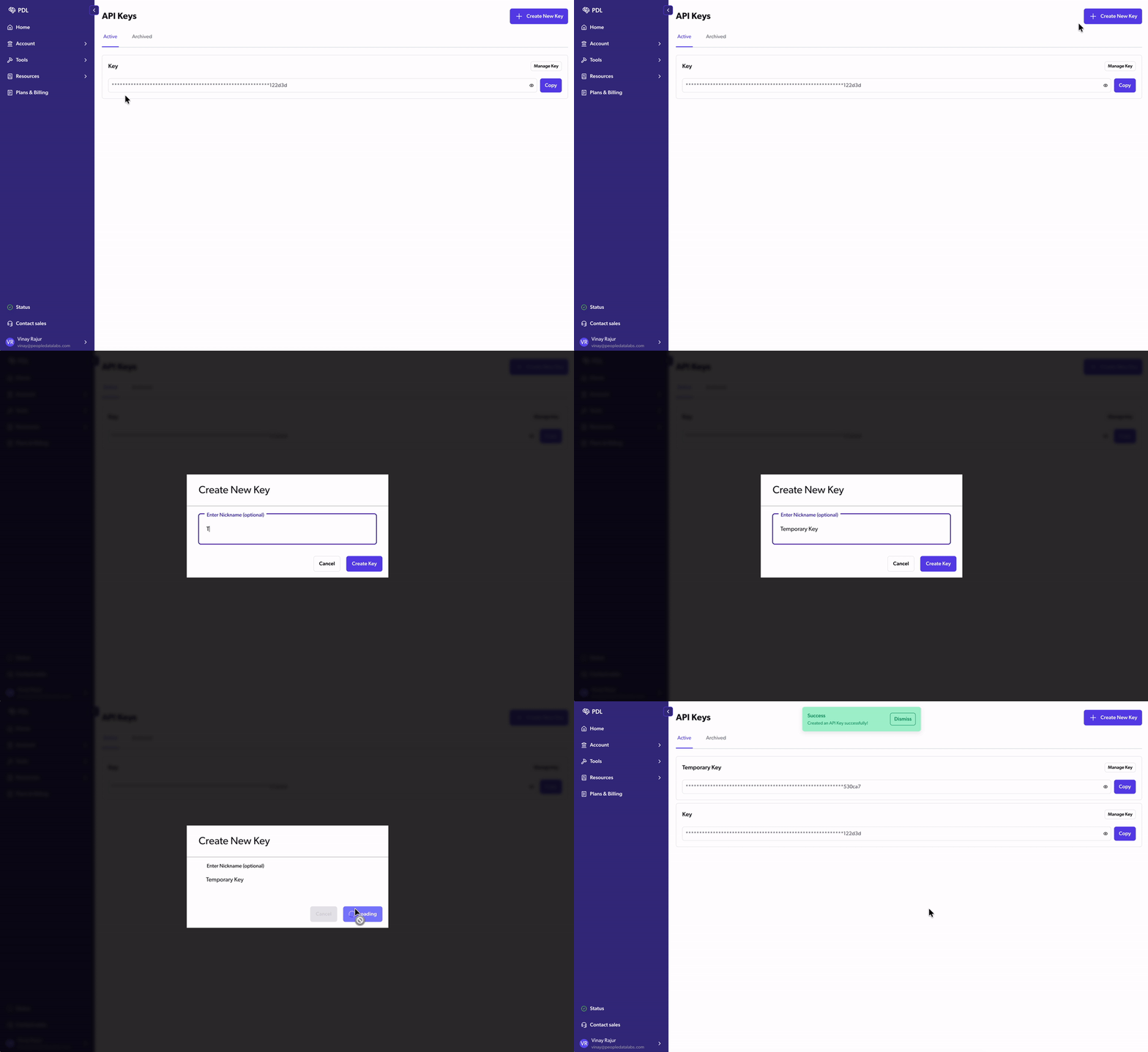
Create a new key
- Go to Account > API Keys.
- Click Create New Key.
- Enter a nickname so you can tell your keys apart, then click Create Key.
Roll a key
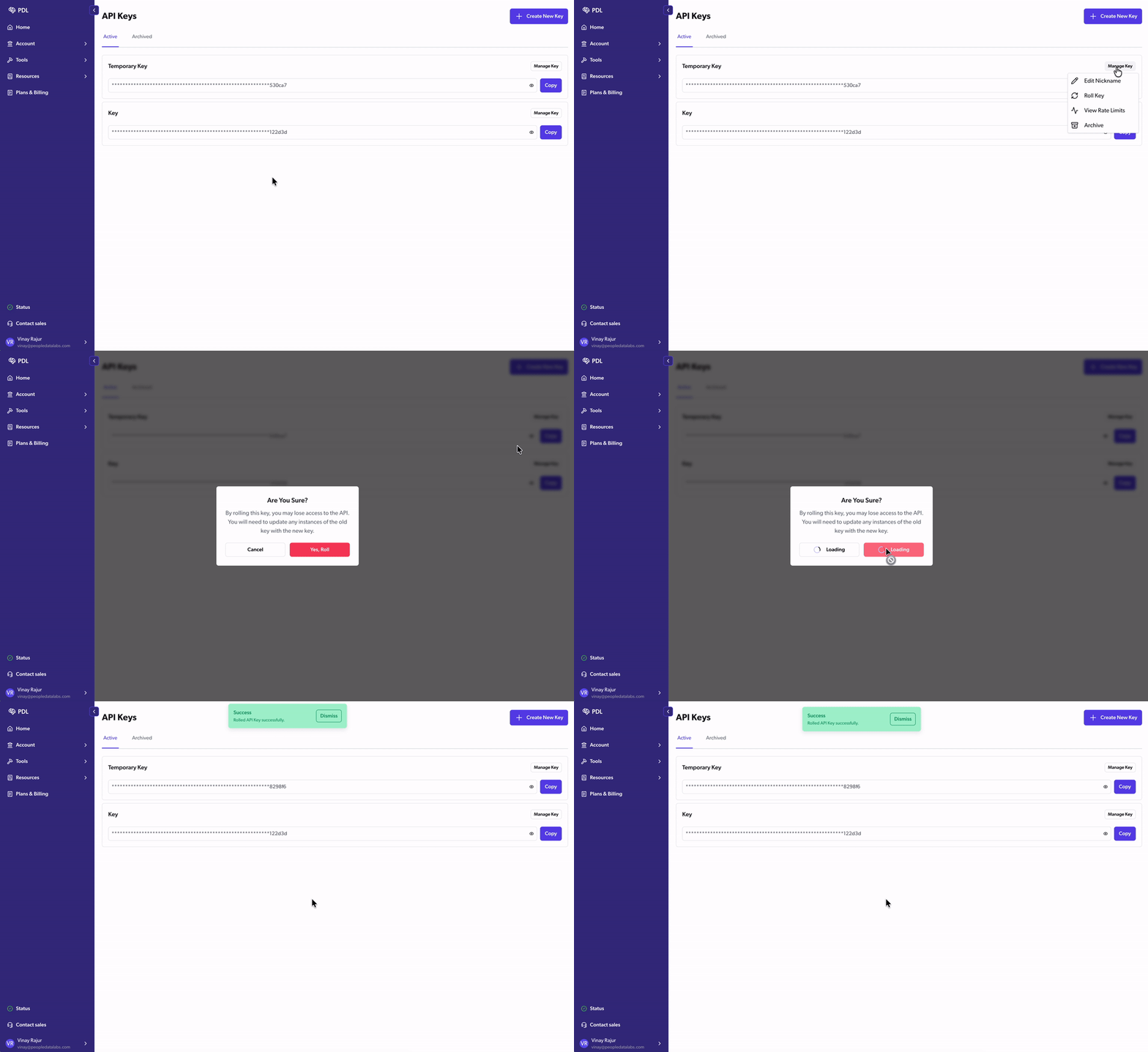
Rolling a key replaces it with a newly generated key. Roll a key if it’s exposed or you think it’s been compromised.- Go to Account > API Keys.
- On the key you want to roll, click Manage Key.
- Click Roll Key, then confirm.
Archive a key
Archiving a key deactivates it. Archived keys appear on the Archived tab and don’t count toward your key limit.- Go to Account > API Keys.
- On the key you want to archive, click Manage Key.
- Click Archive, then confirm.
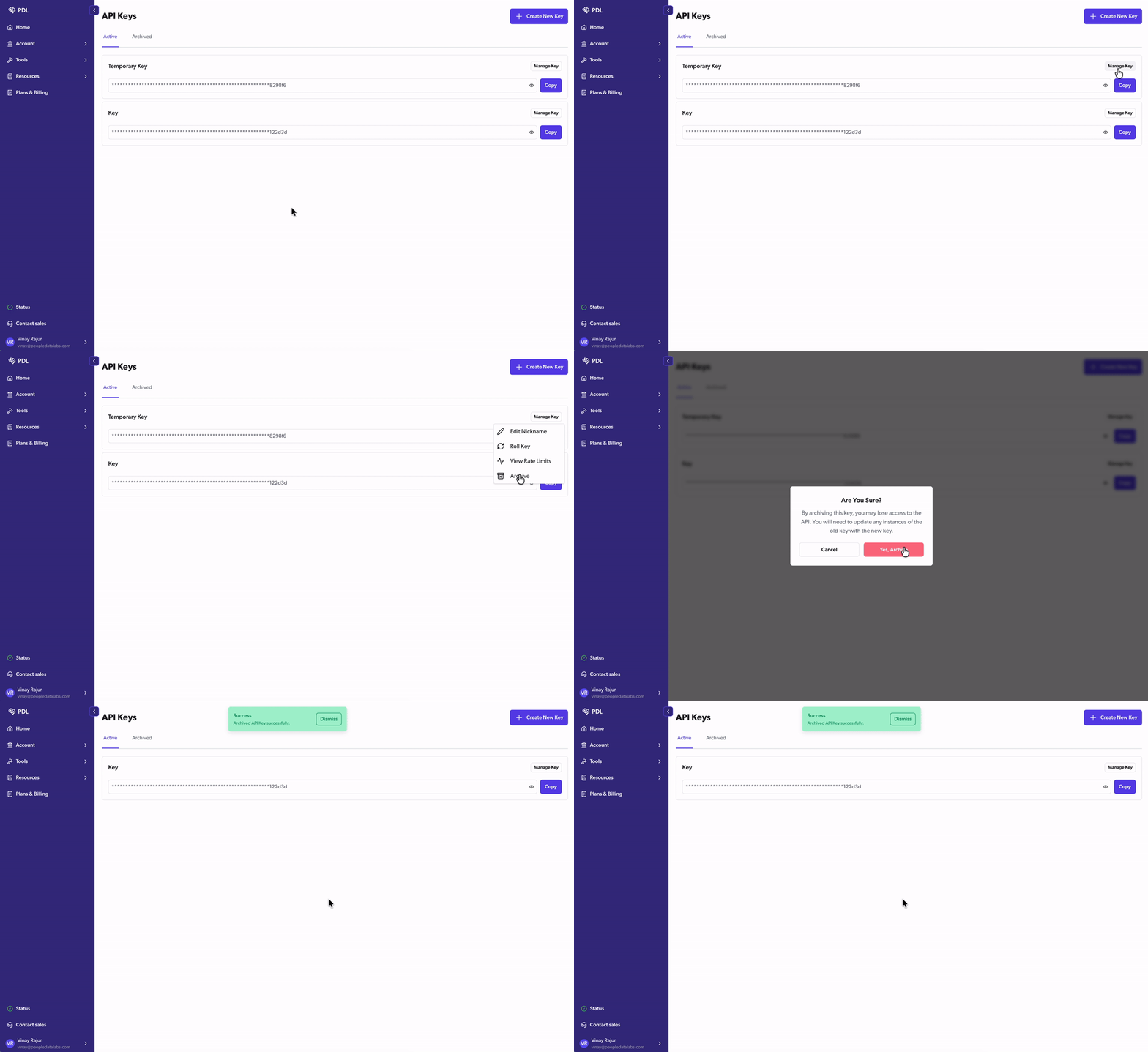
You can’t archive your only active key, so the Archive option doesn’t appear. To replace your only key, roll it instead.