


- Through Workspace Settings: Add your API key to your Clay workspace before building a workflow.
- From the Enrichment Panel: Add your API key while you’re already setting up a PDL enrichment in a table.
Before you start
You’ll need a Clay account. A free account works, which you can sign up for at clay.com. You’ll also need a PDL API key. You can find your API keys in the PDL dashboard.Method 1: Add your API key through Workspace Settings
Use this method if you want to set up your PDL connection before building a workflow. Once saved, the connection can be reused across your Clay tables and workflows.Open your Clay workspace settings
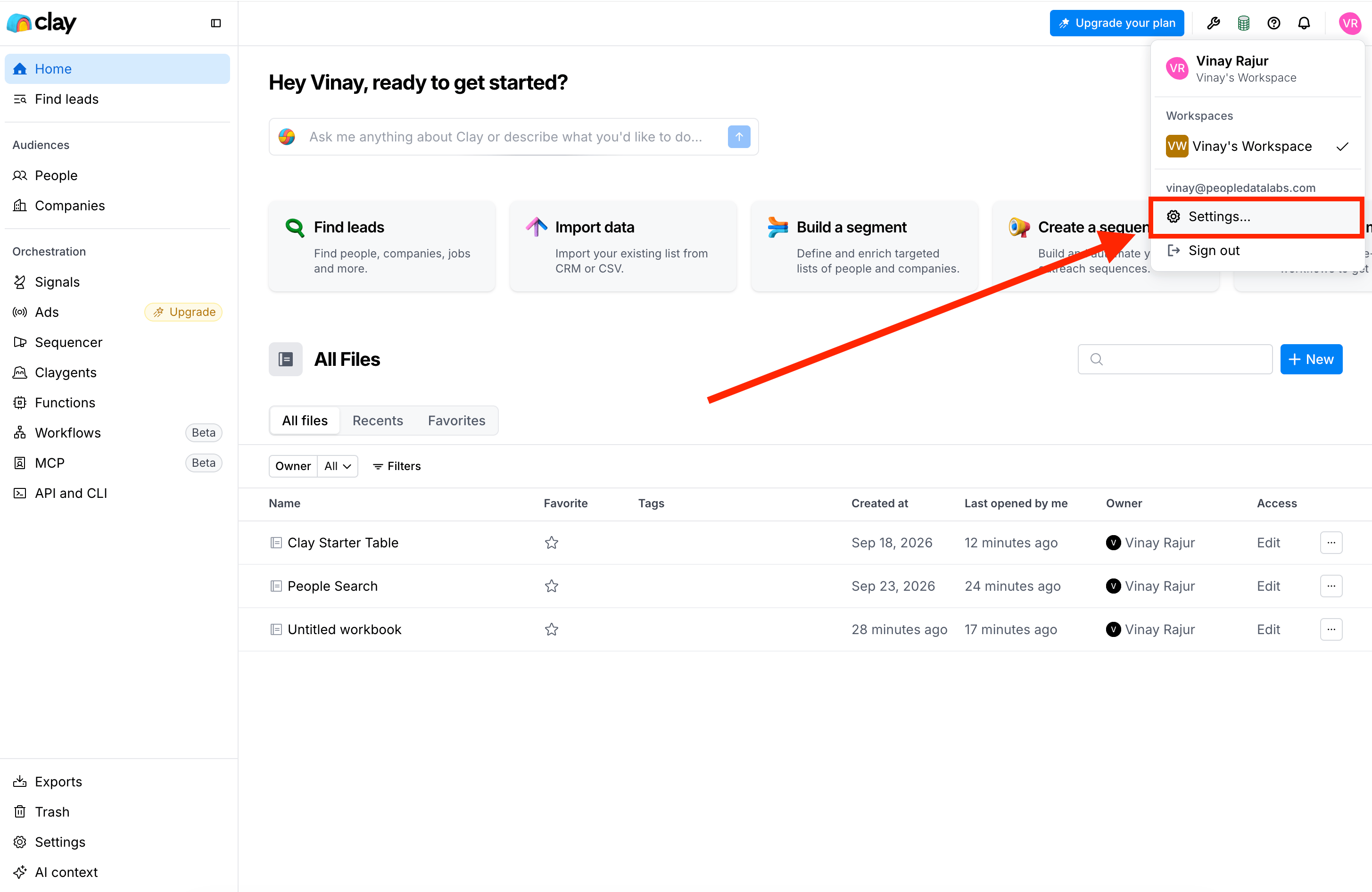
Open Clay workspace settings
Open Connections
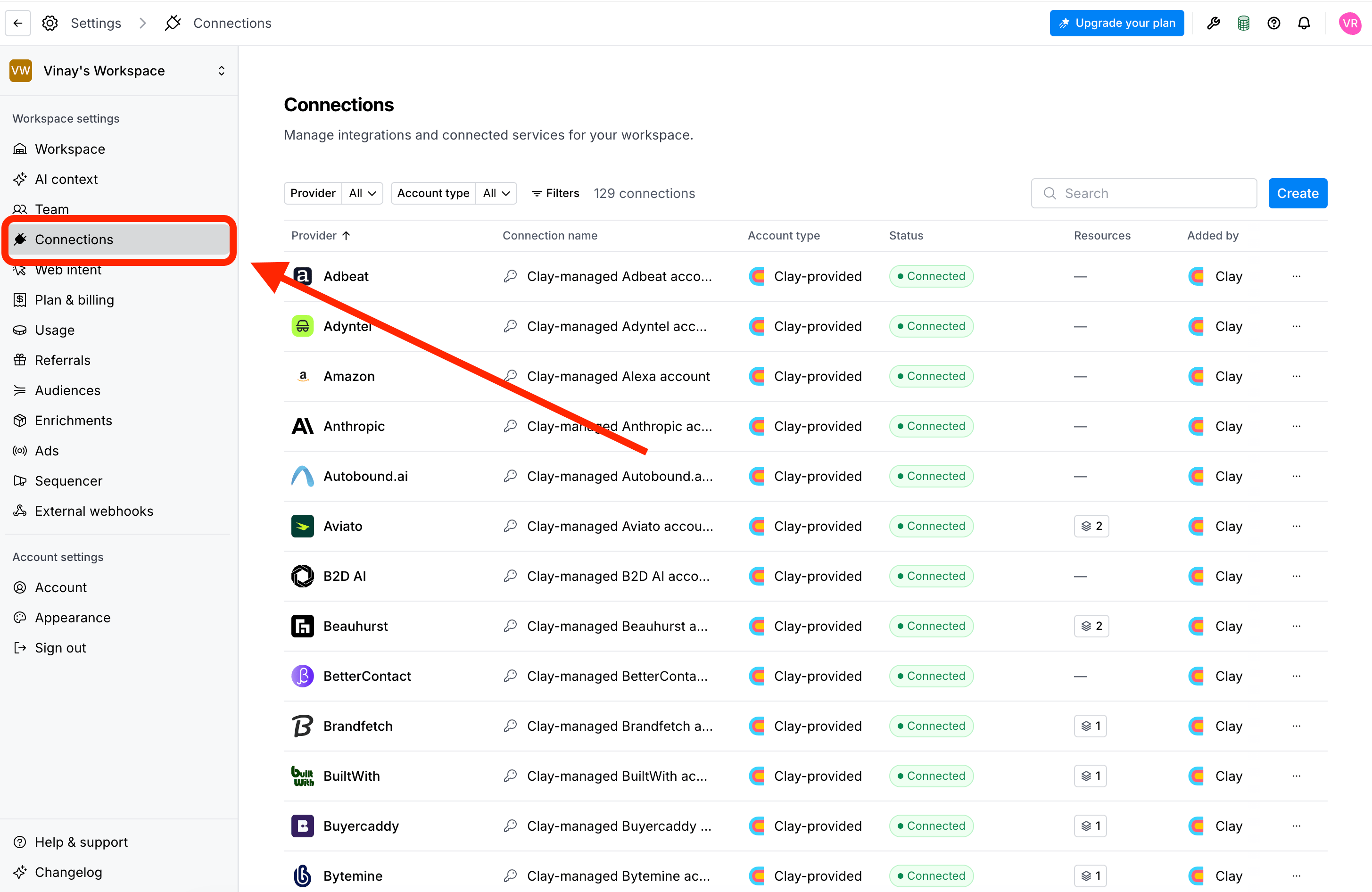
Open Connections
Create a connection
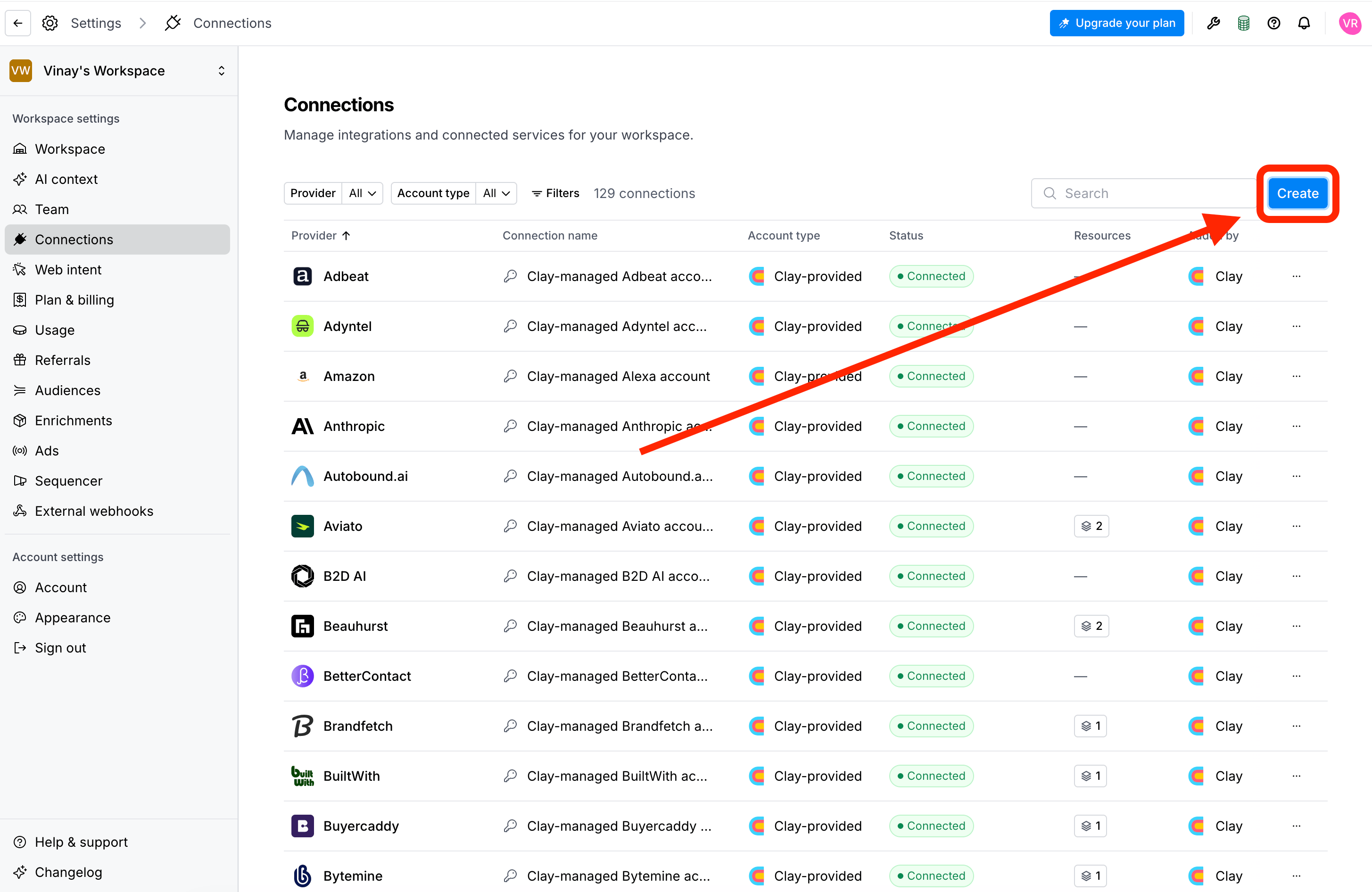
Create a new connection
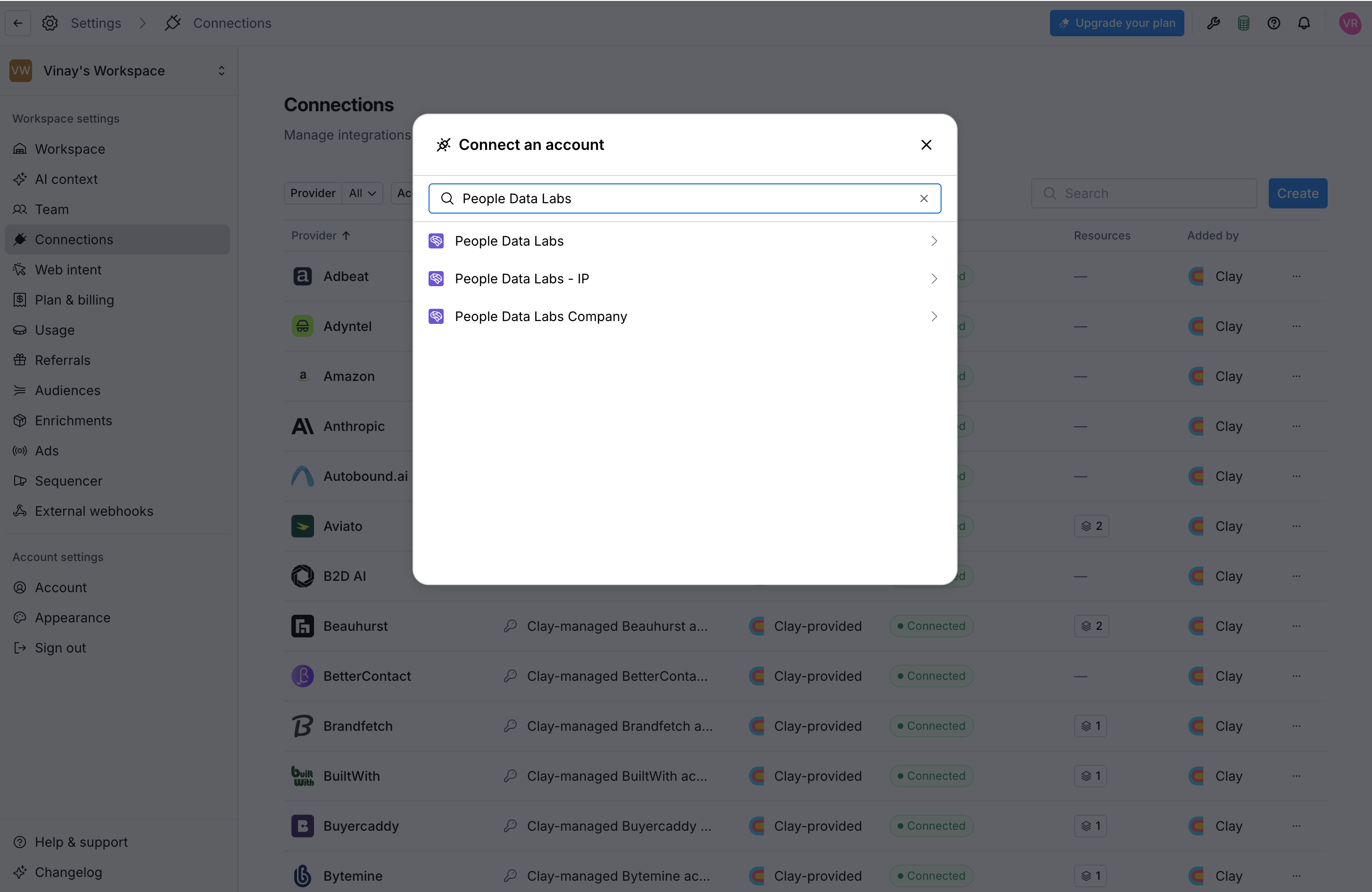
Search connections for People Data Labs
Add your PDL API key
- Enter a name for the connection.
- Paste your PDL API key.
- Select whether to save this as the default API key for this connection.
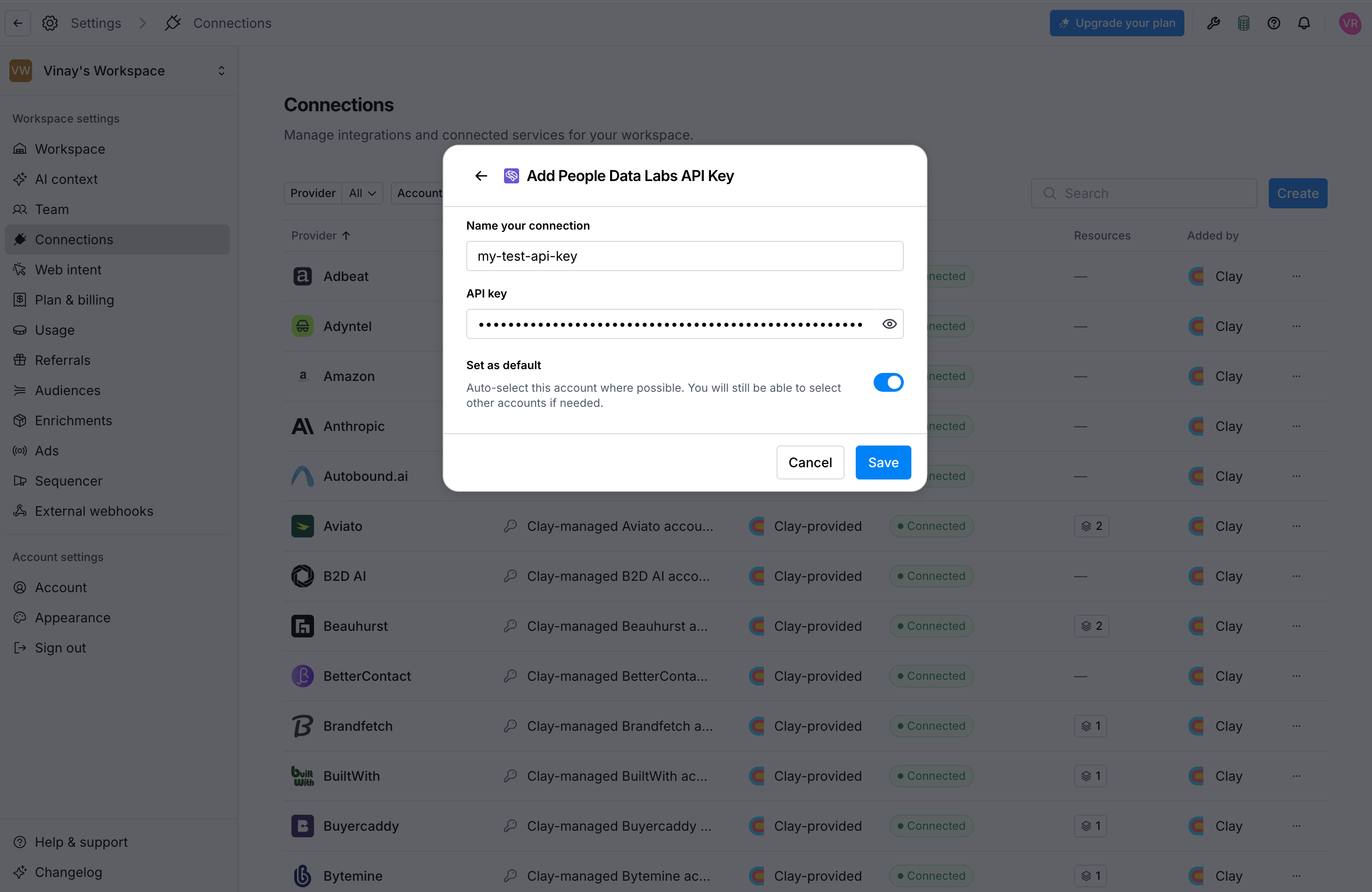
Add your PDL API key
Save the connection
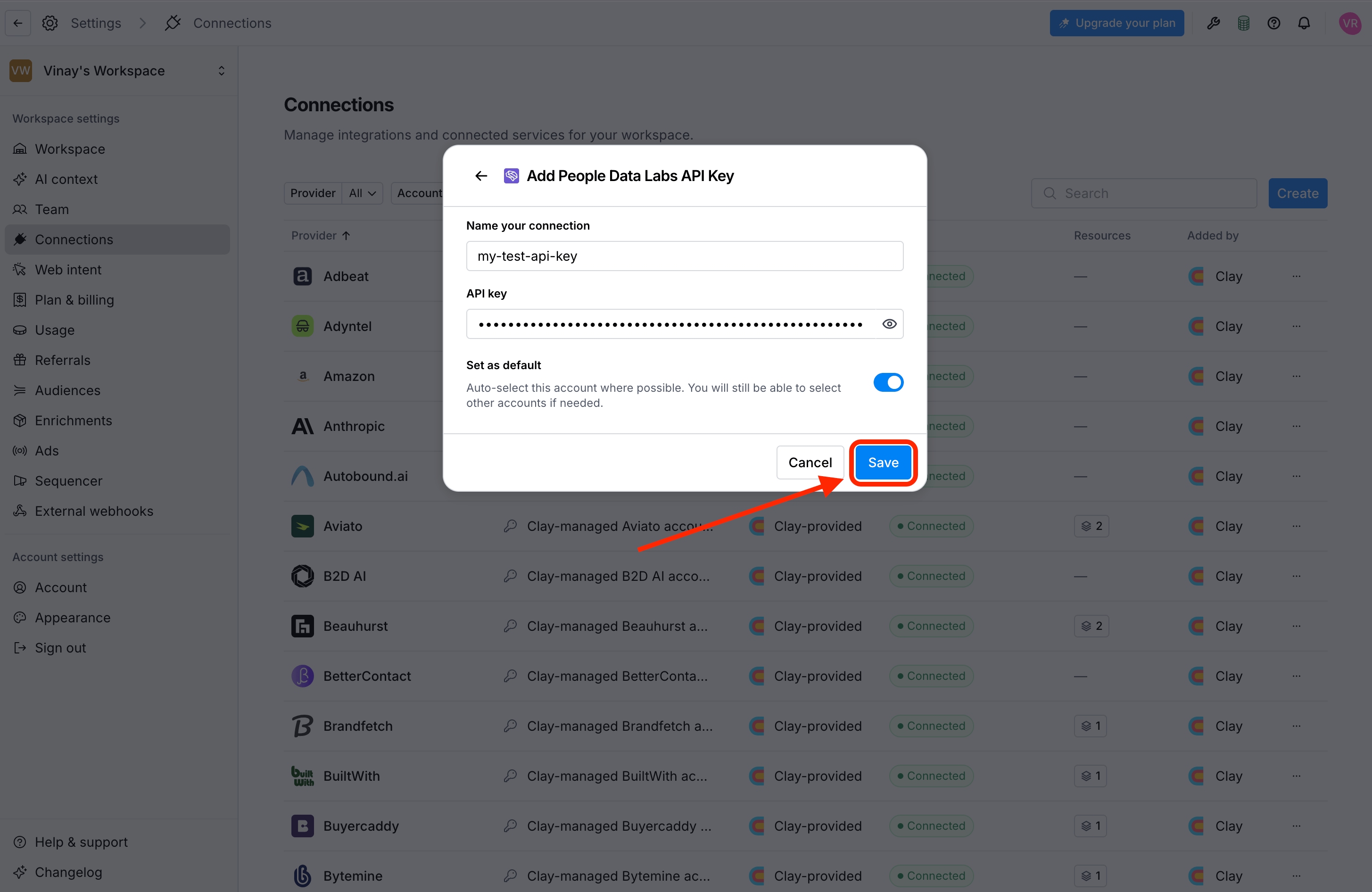
Save your PDL connection
Method 2: Add your API key from the Enrichment Panel
If you’re already working in a Clay table, you can add a PDL API key while setting up an enrichment. This creates the same workspace-level connection as Method 1. After you save it, you can reuse the connection in other tables and workflows.Add an enrichment
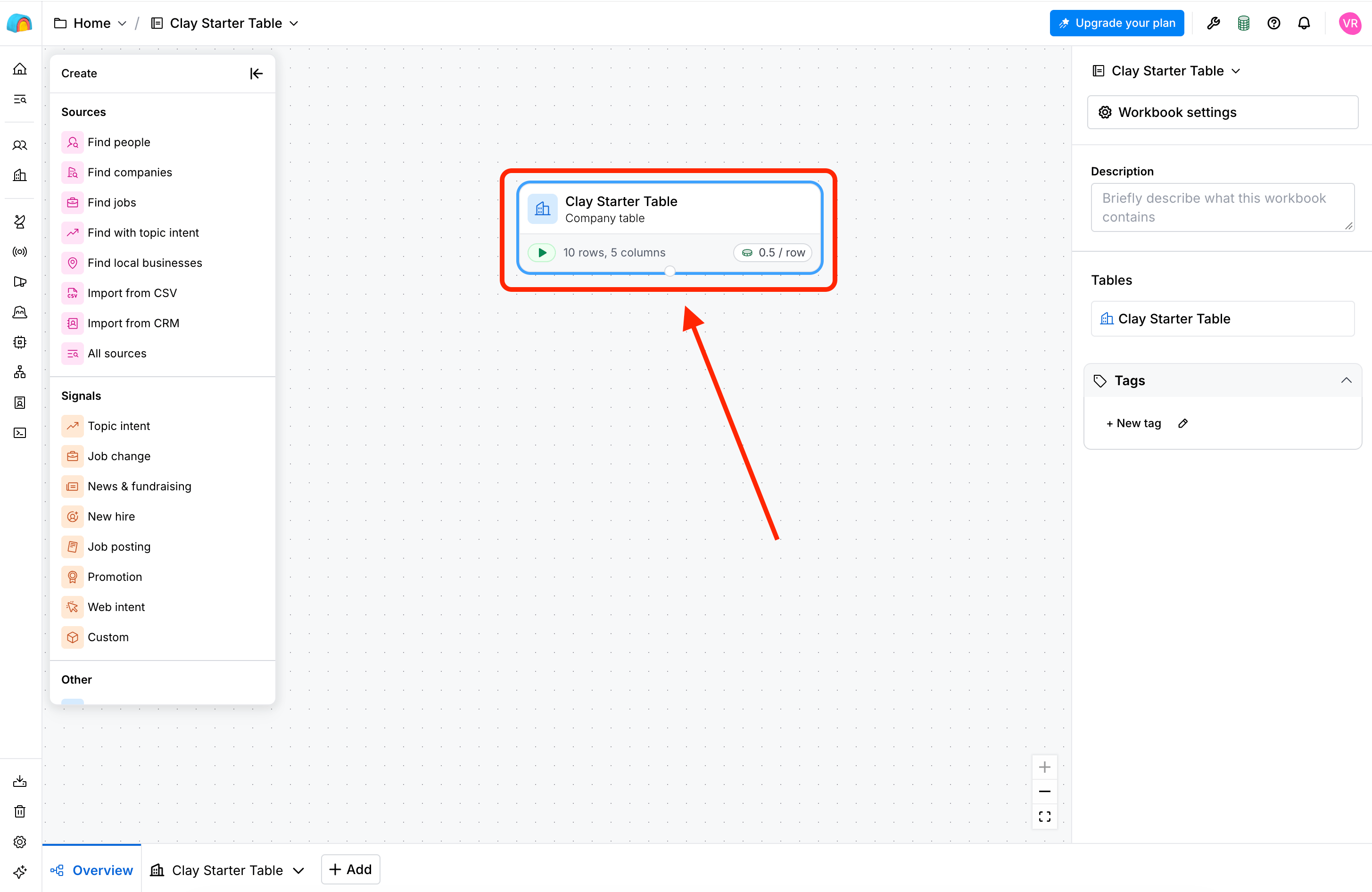
Open a Clay Table
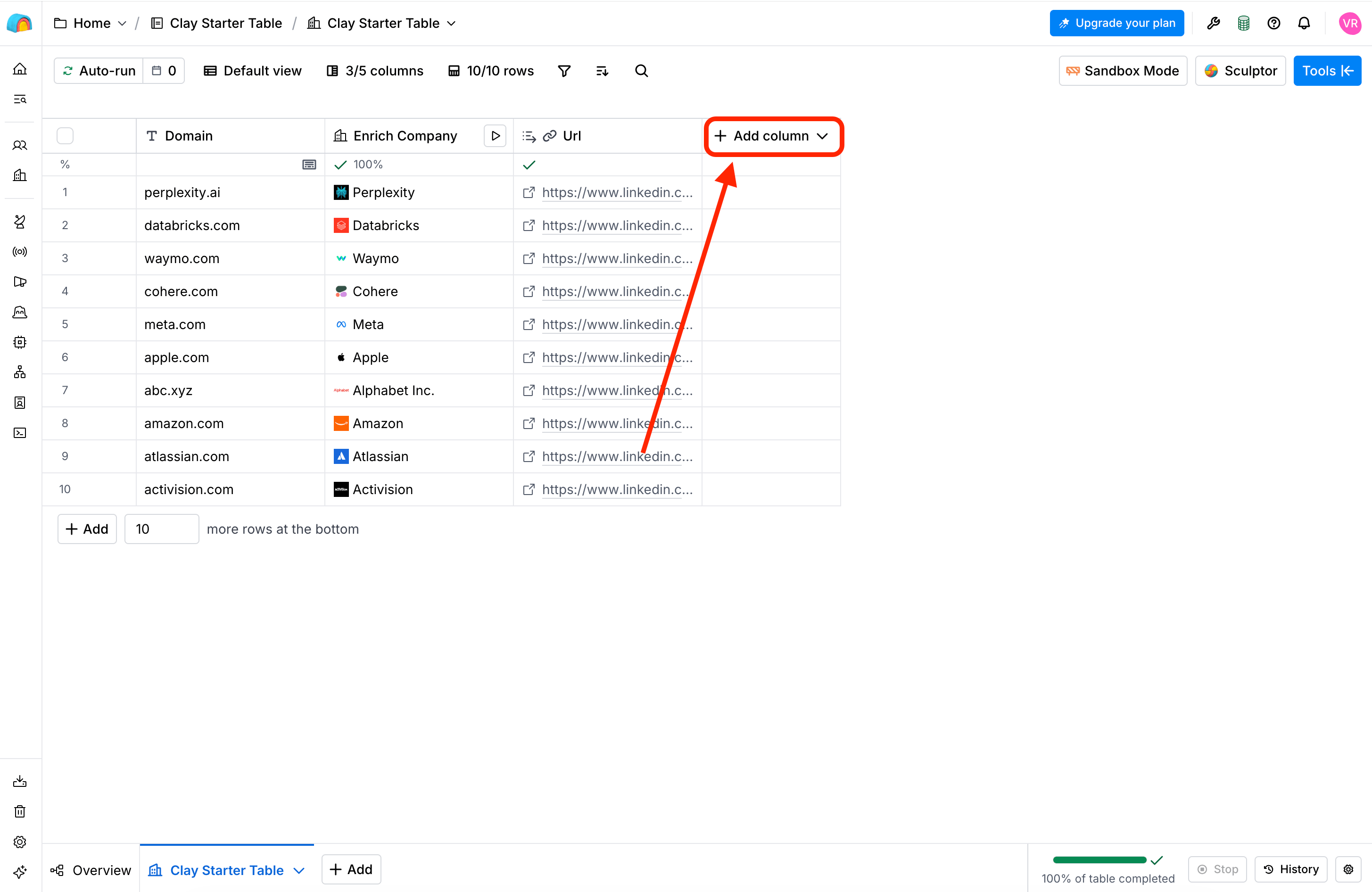
Add a column
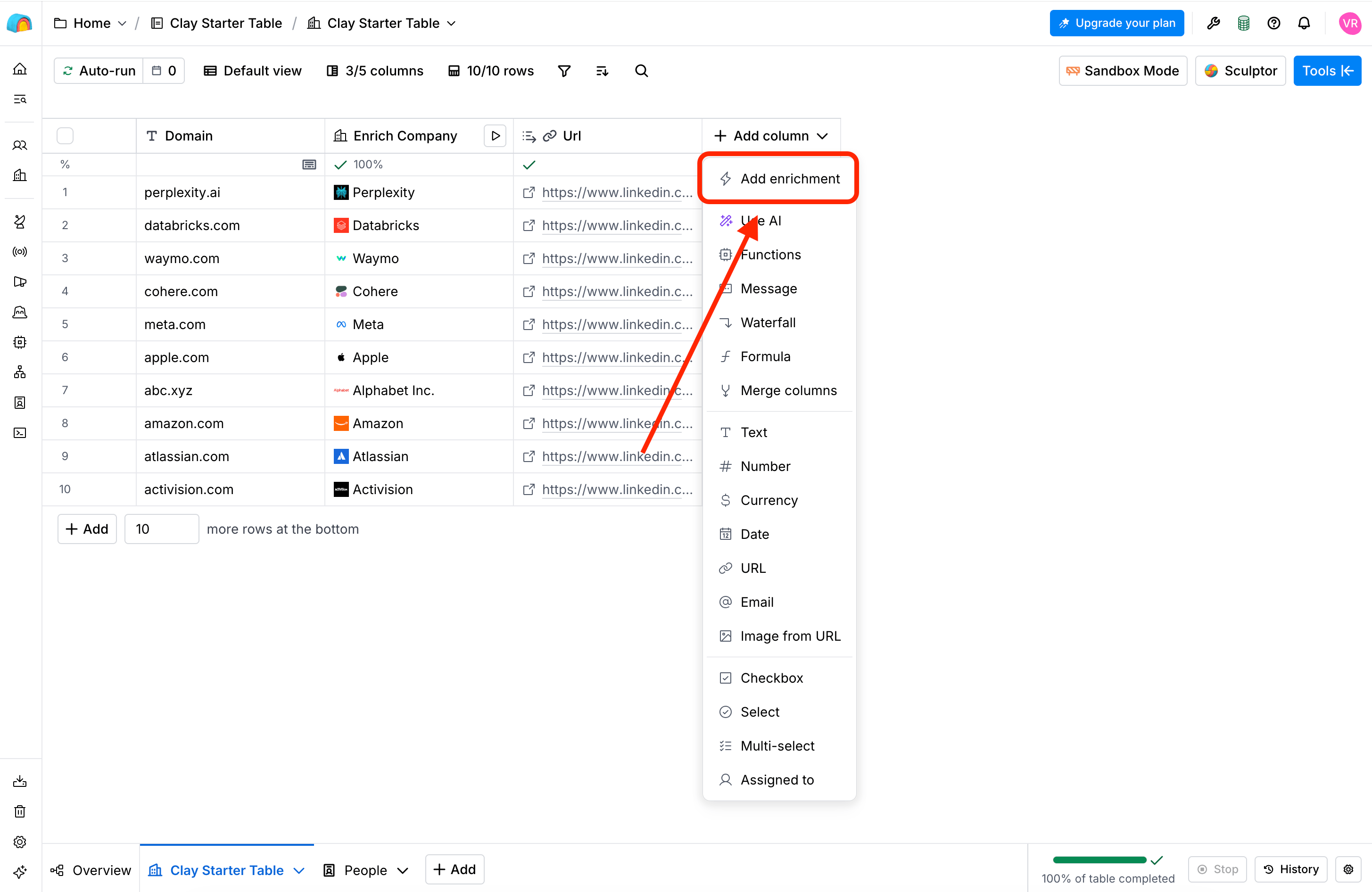
Add an enrichment
Choose a People Data Labs action
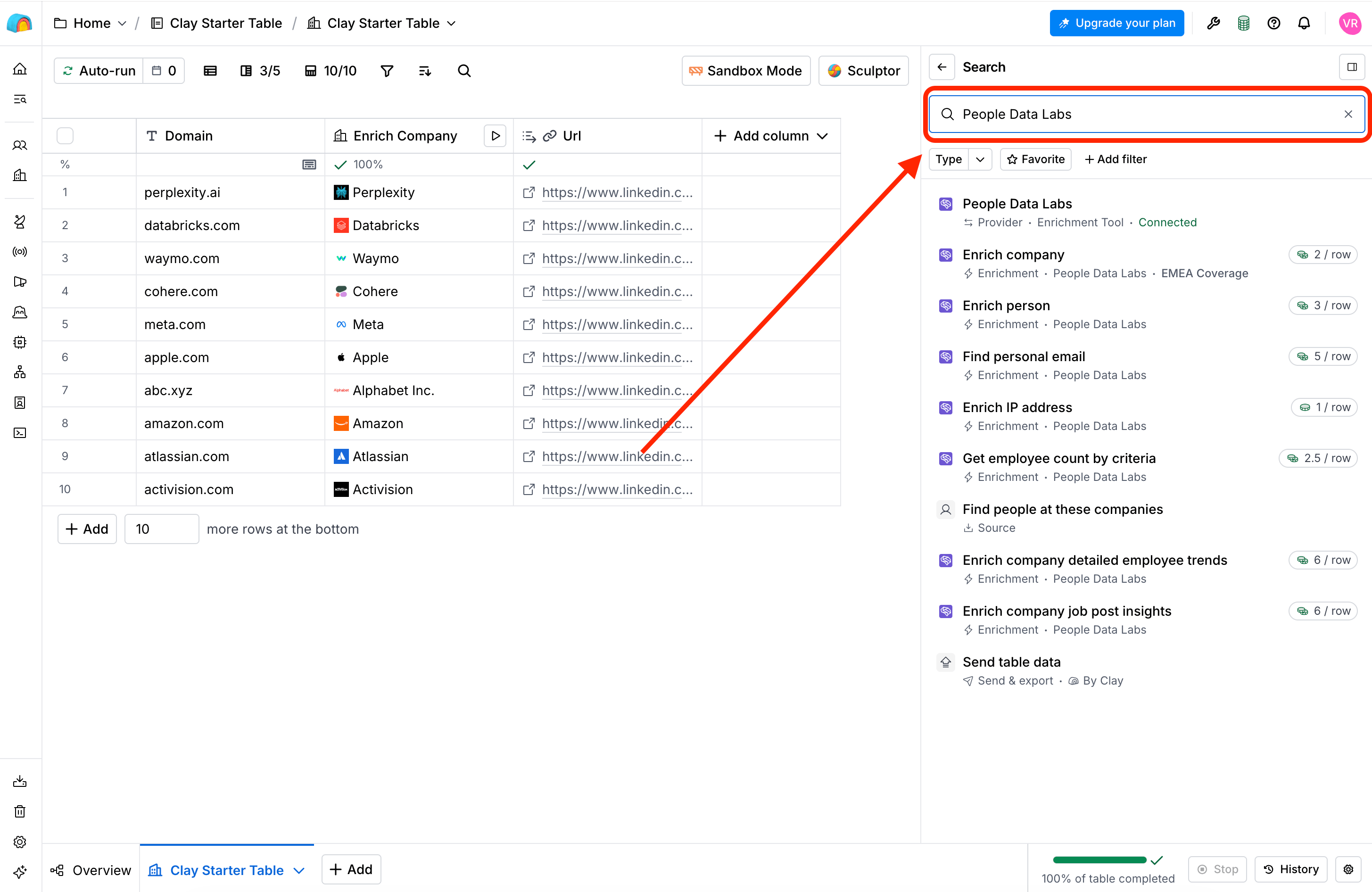
Search for People Data Labs
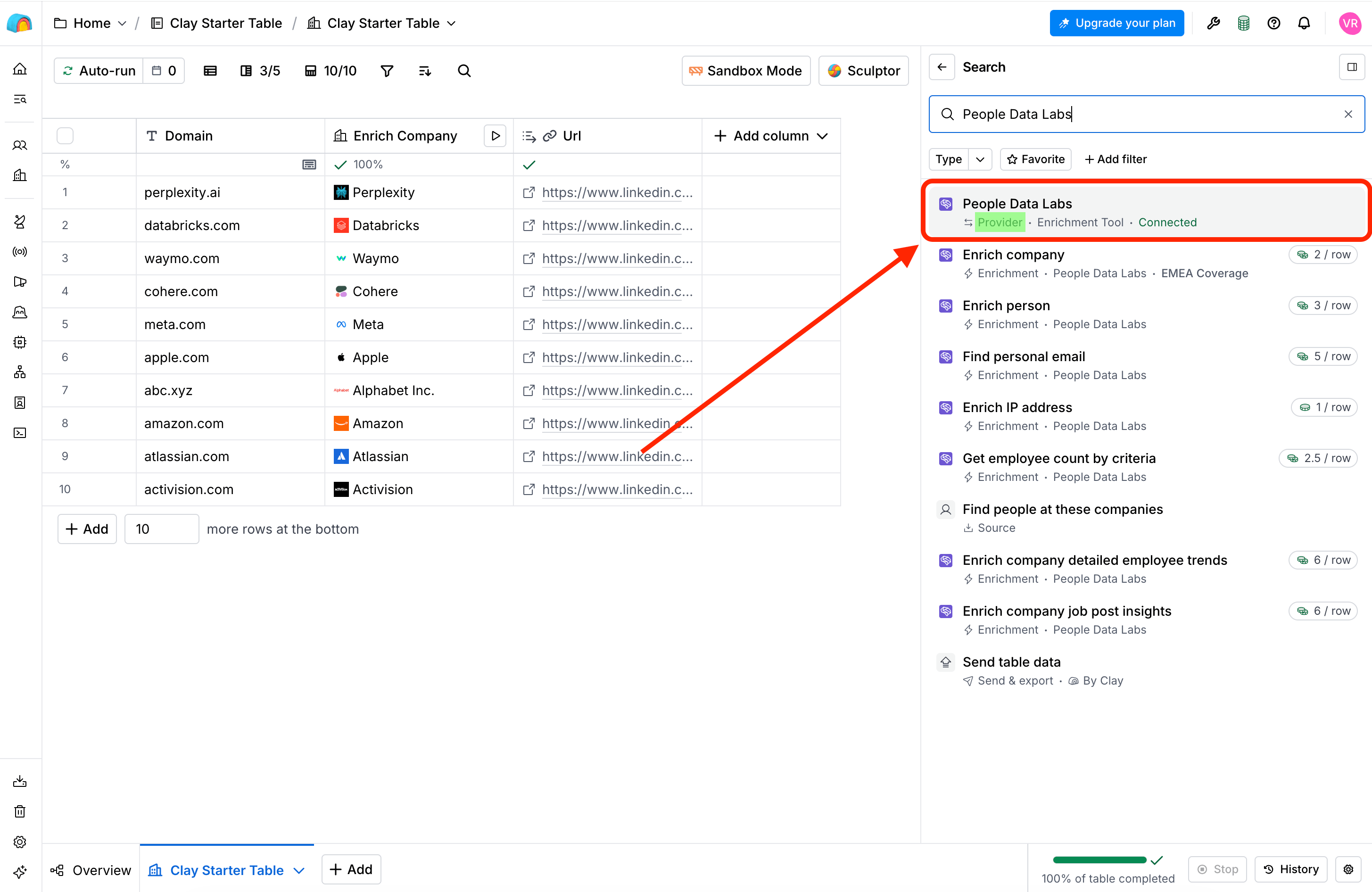
Select the People Data Labs Provider option
Add an account
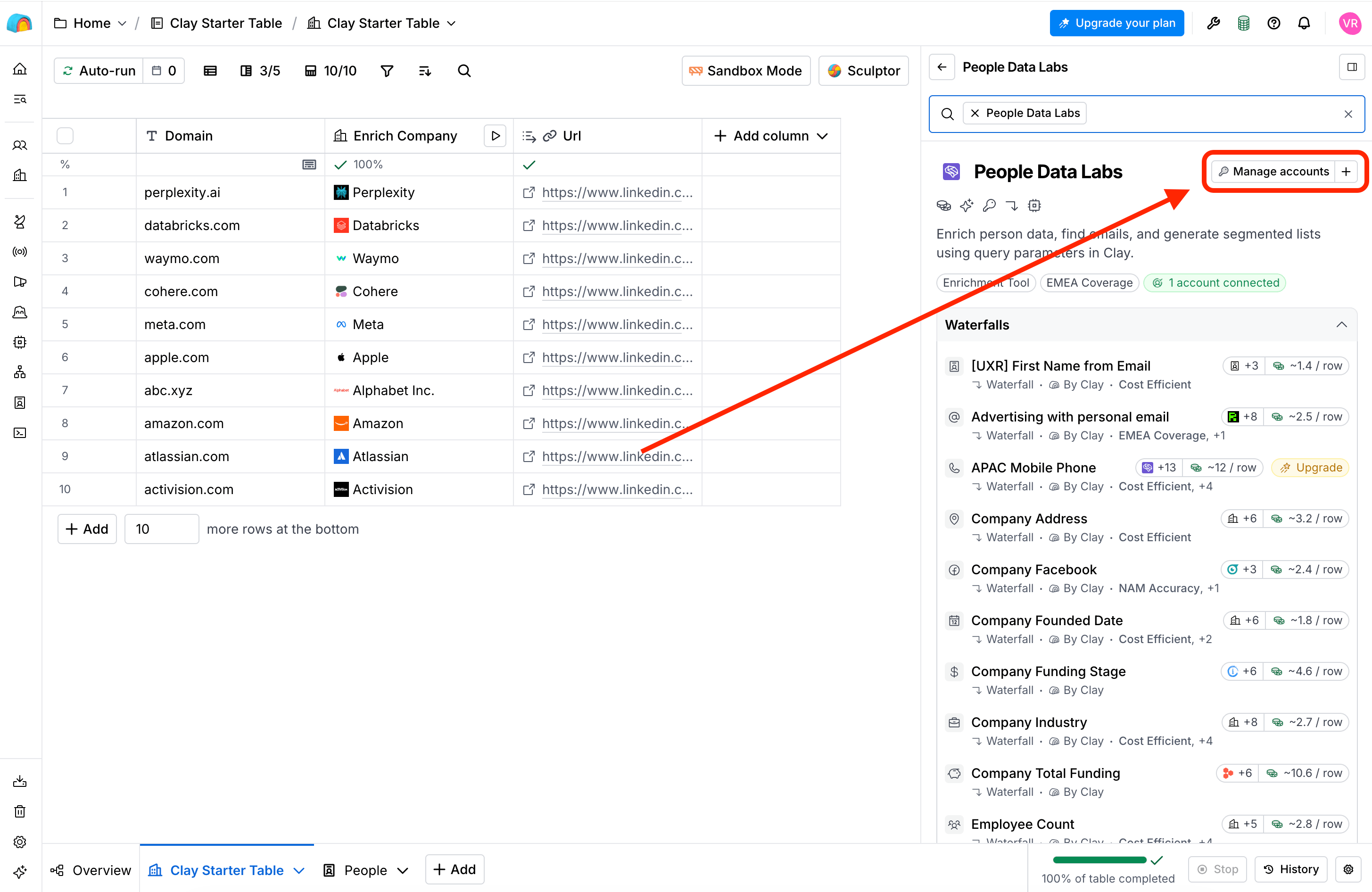
Add an account
Enter your API key
- Enter a name for the connection.
- Paste your PDL API key.
- Select whether to save this as the default API key for this connection.
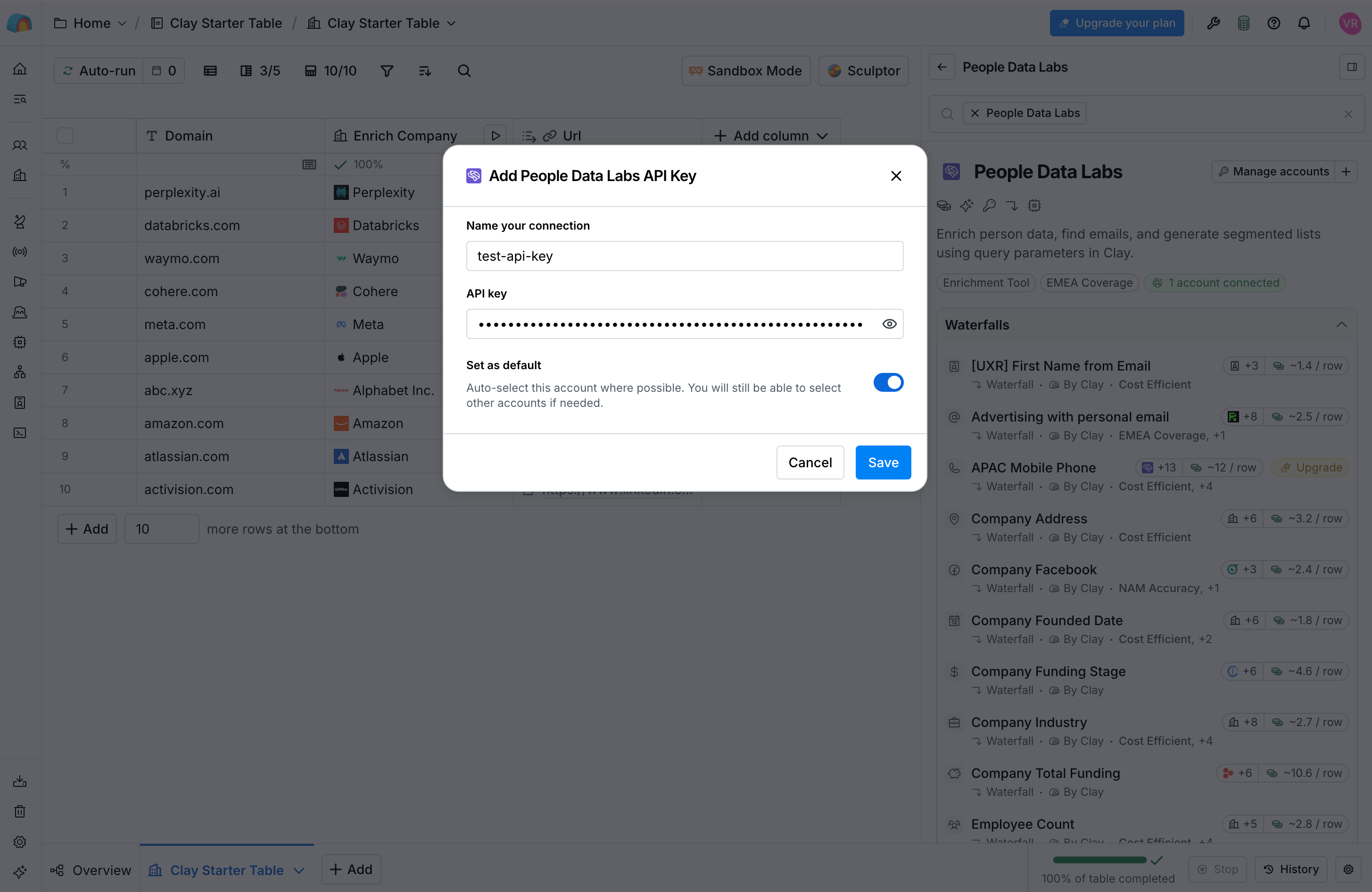
Enter your PDL API key
Save the connection
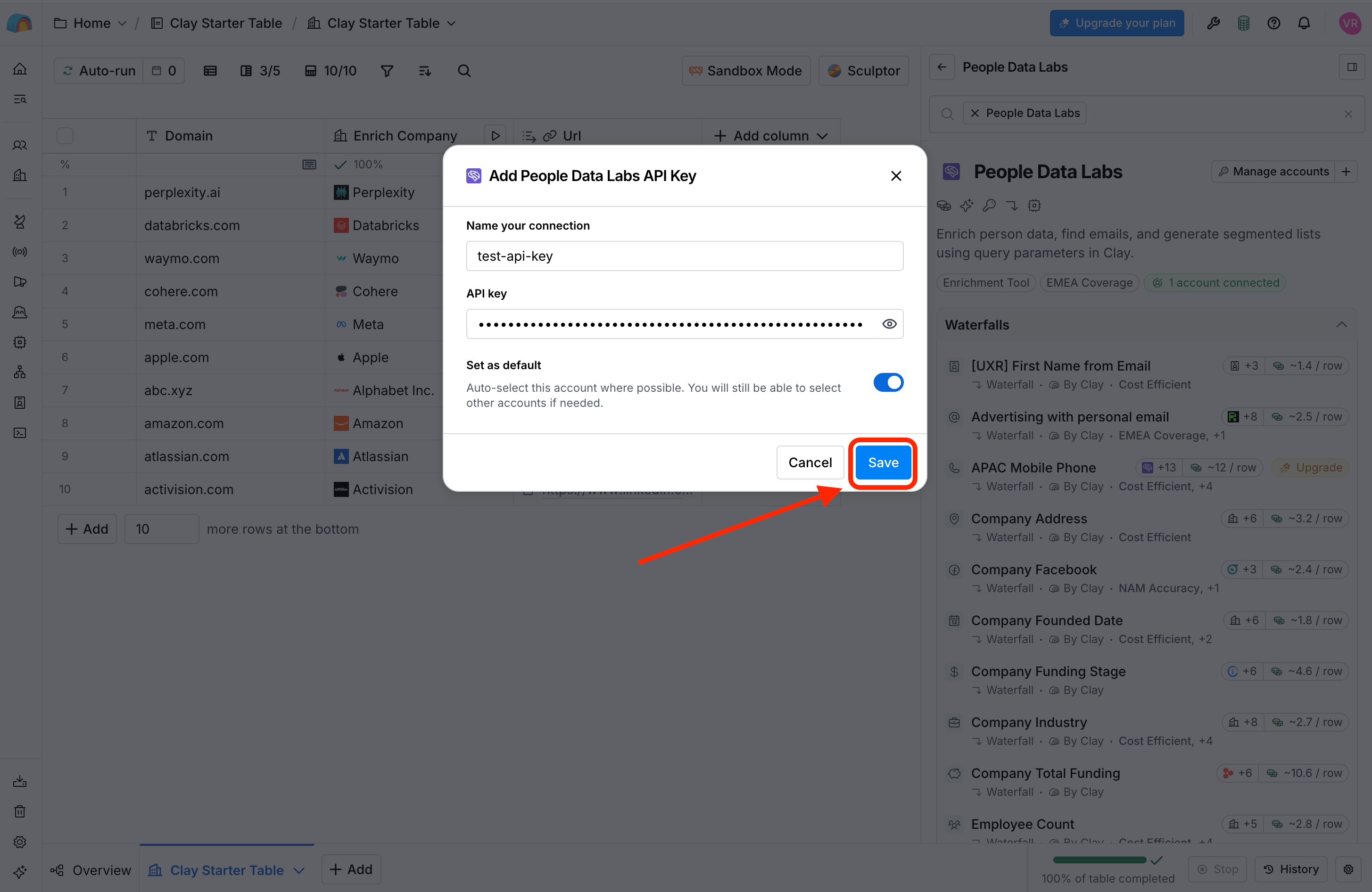
Use your saved PDL connection
FAQs
Why are there already People Data Labs connections set up for me?
Why are there already People Data Labs connections set up for me?
Why are there multiple People Data Labs connection options?
Why are there multiple People Data Labs connection options?
People Data Labs)Use the Person connection when you want to enrich individual professionals with information about their identity, employment, education, and other professional attributes. Common use cases include sales prospecting and recruiting.🏢 Company (People Data Labs Company)Use the Company connection when you want to enrich organizations using information such as a company name or domain. This is useful for building firmographic profiles, qualifying accounts, and evaluating companies against your ideal customer profile.🌐 IP (People Data Labs - IP)Use the IP connection when you want to identify the company associated with an IP address. This can be useful for workflows such as identifying organizations visiting your website.You can configure any combination of these connections. Your PDL account must have the appropriate credits available for the PDL products you use.Do I need a separate API key for each PDL connection?
Do I need a separate API key for each PDL connection?
Clay is using its managed PDL connection instead of mine
Clay is using its managed PDL connection instead of mine
I can't add a connection
I can't add a connection